
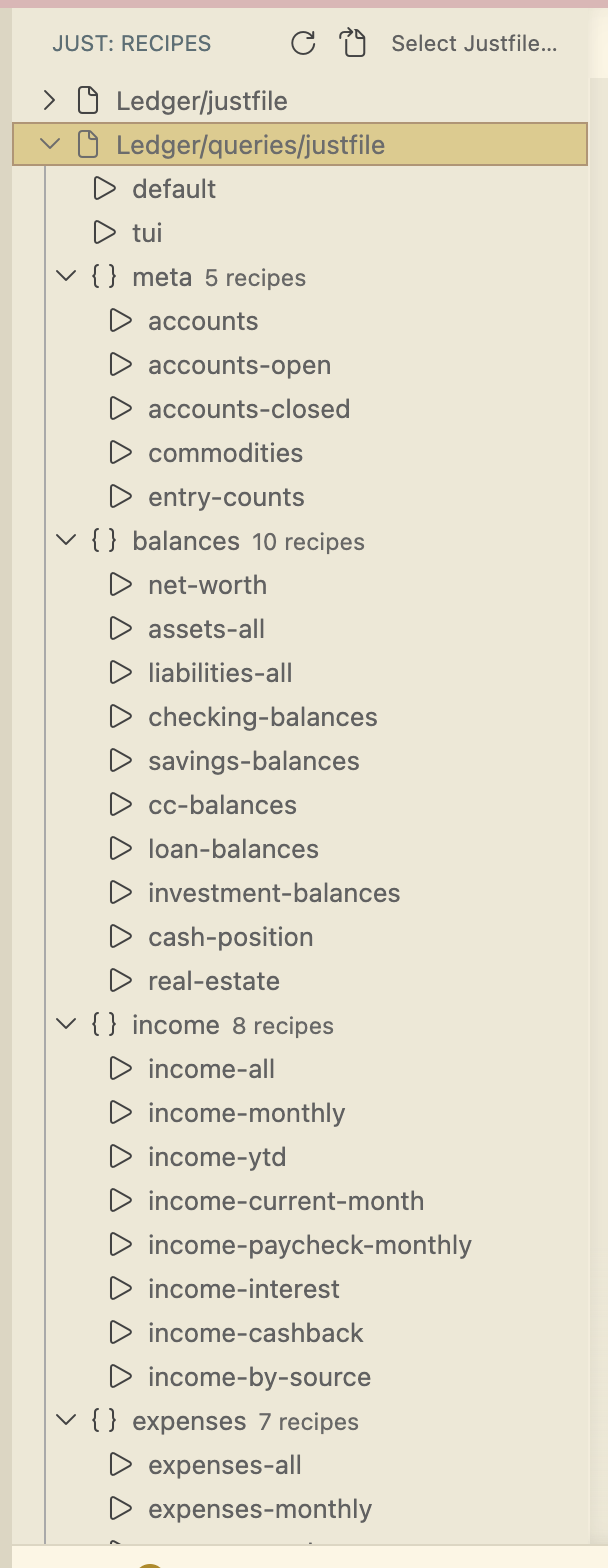
A VS Code extension that lists just recipes in a dedicated activity-bar sidebar. Single-click a recipe to run it in a reusable terminal; click "Run with Args" to pass parameters; switch between justfiles when you have several in one workspace.
What it does
- Sidebar tree under a dedicated "J" activity-bar icon, recipes grouped per justfile.
- One-click run to a reusable terminal (configurable: reuse one, or spawn per-recipe).
- Doc comments — recipe descriptions pulled from
# commentlines above each recipe. - Multi-justfile workspaces — selector switches the active justfile, choice persists across reloads.
- Nix-aware — when a
flake.nixlives next to the justfile, optionally wrap every invocation innix develop --command. - File watcher refreshes the tree on save, no manual reload.
- Workspace Trust aware — recipes hidden in untrusted workspaces.
How it's built
just --list parsing handles 90% of the work — --list-prefix, --list-heading, and --unsorted give clean, deterministic output that maps directly to a TreeDataProvider. The remaining 10% is the multi-justfile case: a QuickPick selector backed by workspace state, plus a FileSystemWatcher that re-parses when any tracked justfile is saved.
The "Run with Args" UX was the only nontrivial design decision. Parameters are passed as a raw shell fragment so the user's shell handles quoting — simpler than trying to mirror just's own argument parsing, and matches what a user typing the command by hand would expect.
Why
I use just heavily across every repo. The existing VS Code integrations either rendered recipes as a flat command-palette list or required a command-palette round-trip for every run. I wanted a persistent panel I could glance at — the same place I already look for files and source control. Five minutes of UX won back five-second hesitations.